Running GridAPPS-D
Starting the GridAPPS-D Platform
If you are accessing this section after completing the installation steps in the previous procedure, then the GridAPPS-D Platform is already running.
When you start your machine next time, you will need to start the GridAPPS-D Platform again. To do this, change directories into gridappsd-docker and run the ./run.sh script
cd gridappsd-docker./run.shor./run.sh -t release_tag
A complete set of releases of the GridAPPS-D Platform is available under Platform Release History

Stopping the Platform
Stopping the Platform from Inside the Docker Container
If you are currently inside the ./run-gridappsd.sh script inside the docker container, use Ctrl+C to stop the platform. Some error messages may be displayed as the platform services are stopped.
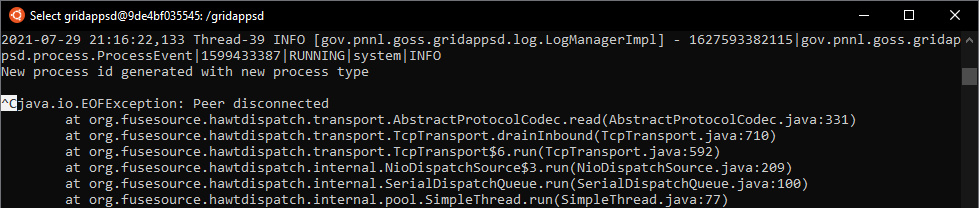
Then exit the docker container using exit. This will return to the main ubuntu bash command line:

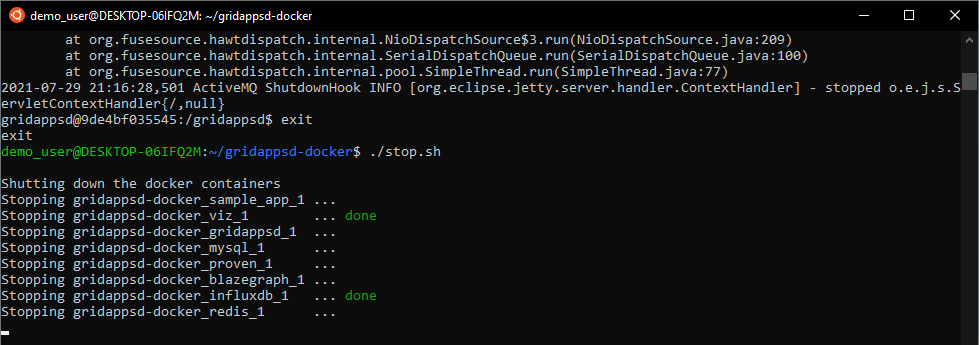
Then run the ./stop.sh script to shut down all the docker containers and free RAM used by the Platform:
Stopping the Platform from a New Terminal
If your terminal was reset or closed, you can stop the platform and shut down all docker containers by changing directories into gridappsd-docker and running the ./stop.sh script:
cd gridappsd-docker./stop.sh

Restarting the Platform
After the Platform has been stopped, it can be restarted by running the ./run.sh script again from within the gridappsd-docker directory

Changing Release Tags
To change the Platform to run on a different release, run the ./stop.sh script using the -c option to remove the current containers.

Remove the gridappsd directory using sudo rm -r gridappsd gridappsdmysql
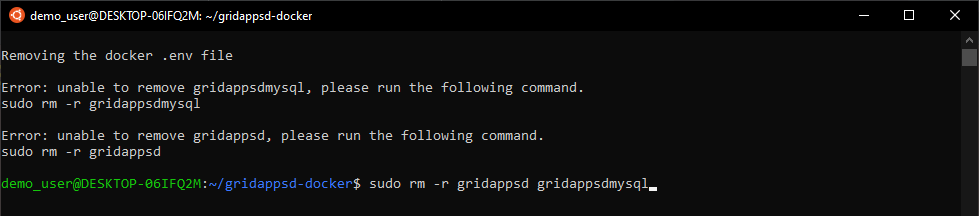
Then start the platform again specifying the particular release tag desired. A complete list of platform releases is available in Platform Release History
Pulling Updated Containers
The GridAPPS-D platform should automatically check for and pull updated containers each time the ./run.sh script is run.
However, it is sometimes necessary to force docker to pull new containers (e.g. if using a custom set of containers as specified by modifying the docker-compose.yml file).
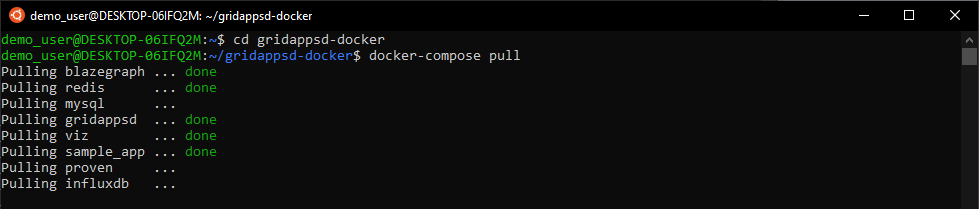
New containers can be pulled by running docker-compose pull from within the gridappsd-docker directory